

Descript
Edit video and audio by editing text
Descripción General
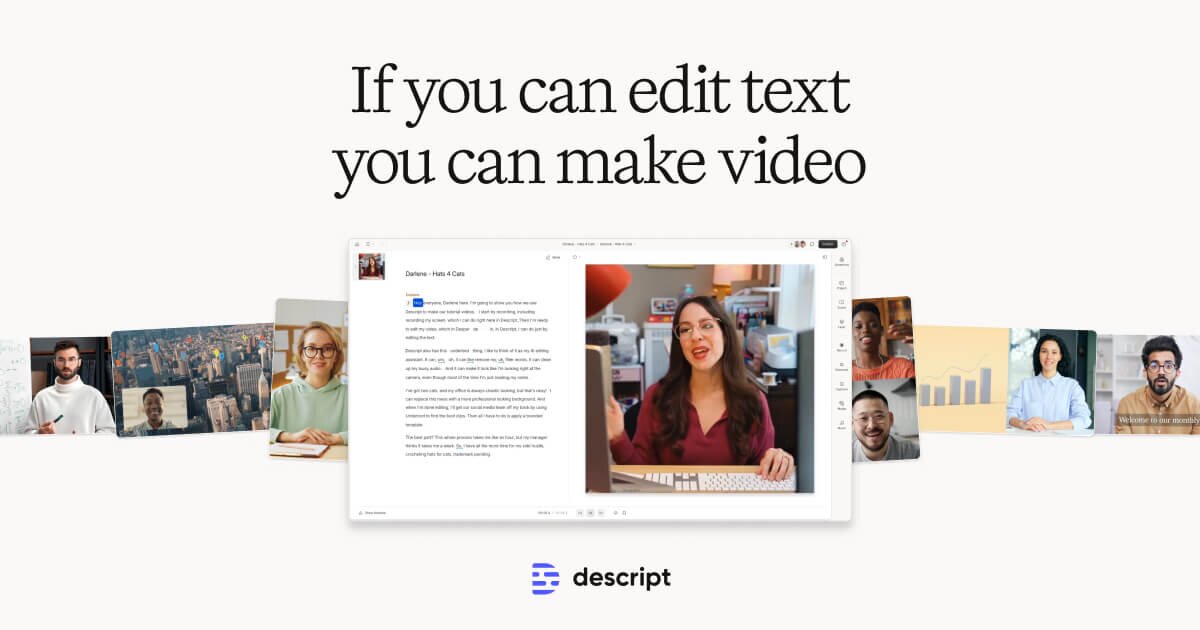
Descript pioneered text-based video editing, where you edit video by editing the transcript. Its Underlord AI assistant can remove filler words, generate captions, clean up audio, create AI avatars, and even generate rough cuts from your footage automatically.
Características
Cómo Empezar
Download the Descript desktop app for Mac or Windows from descript.com. Create an account to get started with the free plan, which includes 1 hour of transcription per month.
Upgrade to Hobbyist ($16/mo) for 10 hours of transcription and 1080p exports, or Creator ($24/mo) for 30 hours and 4K quality. Business ($55/mo) adds 40 hours and team collaboration features.
Videos y Cursos
Precios
Free / $16/mo Hobbyist / $24/mo Creator
Ver detalles de preciosPreguntas Frecuentes
How does text-based video editing work?
Descript transcribes your video automatically. You can then edit the video by editing the transcript text. Delete a sentence from the transcript, and the corresponding video segment is removed. It also supports traditional timeline editing.
Can Descript remove filler words automatically?
Yes. The Underlord AI can detect and remove 'um,' 'uh,' 'like,' and other filler words with one click. It also removes awkward silences and pauses.
Does Descript support screen recording?
Yes. Descript includes built-in screen recording with webcam overlay. The AI can then help you edit the recording by removing mistakes, adding captions, and polishing the final output.
Lee artículos sobre IA y diseño
Mantente al día con las últimas tendencias y consejos en diseño e inteligencia artificial
Aprende habilidades de IA
Descubre habilidades prácticas para usar herramientas de IA de manera efectiva